 Lunchbox Notes
Now in beta on iPhone and Android
Slip a little note into their day.
The classic lunchbox note, for your phone. Write a few words, add a photo, a sticker or a doodle, and it’s waiting on their home screen the next time they look.
iPhone opens TestFlight, Apple’s app for trying apps before they’re out. Android opens Google Play.
Rather wait for the App Store and Google Play? Get an email when it’s out.
See it
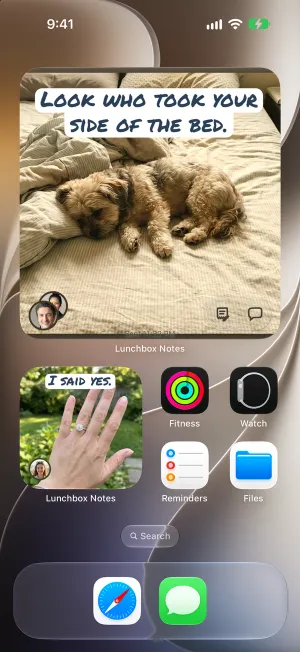
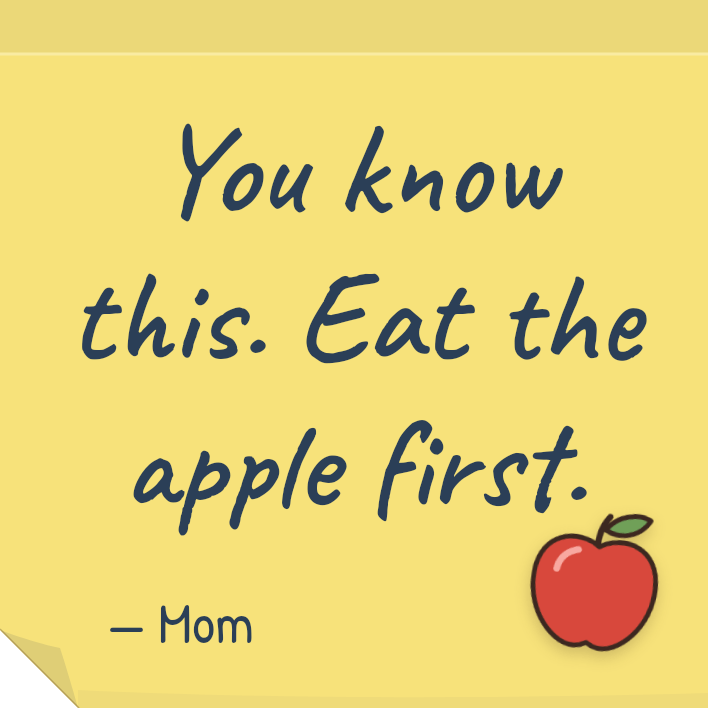
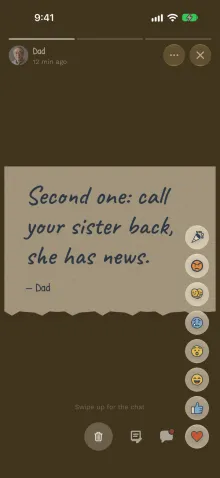
Open the lunchbox, find the note.
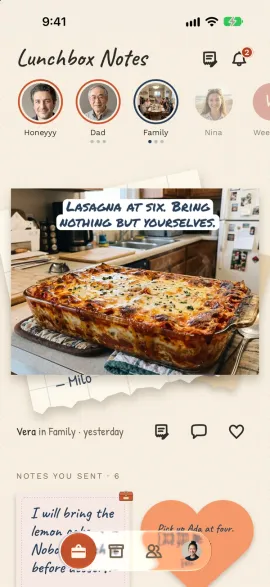
That little moment of finding a note someone left you, the one that used to be tucked in next to the sandwich, now happens on a phone. Wherever they are, whatever their day looks like.

How it works
A minute to write. A smile that lasts all day.
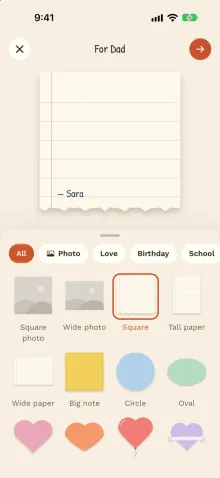
Write it
Pick a paper: a sticky note, a heart, a postcard, a pizza slice or a photo. Write a few words, add stickers or a doodle.
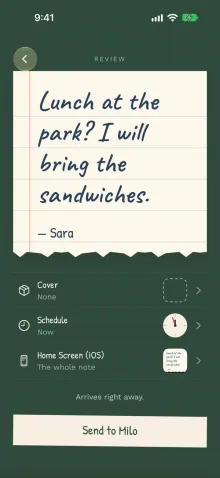
Send it
Right away, or at the moment it matters: before the test, at lunch, when the shift ends.
They find it
It’s in their lunchbox and on their home screen. They answer with a heart or a few words.
Covers
Make opening it part of the fun.
Put your note under a cover and they get to open it. You’ll see the moment they do.
 Lunchboxtap it open
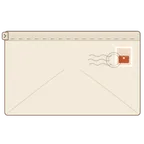 Lettertear it open
 Mailboxpull the door down
 Wax sealbreak the seal
 Buttonpress it, again and again
 Candlehold it until it burns down
 Hourglasshold it while the sand runs
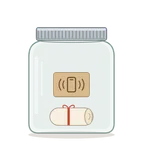 Jarshake it loose
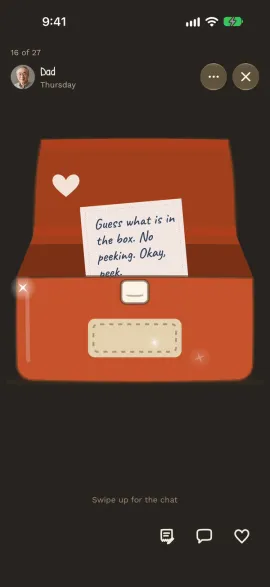
The widget
No app to open. It’s just there.
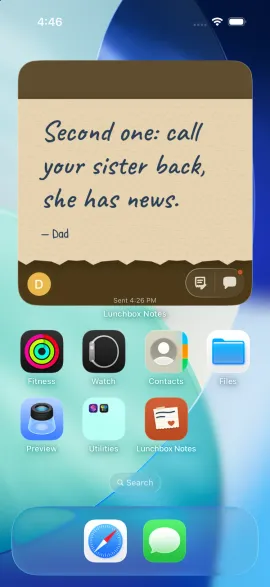
Add the Lunchbox Notes widget and the newest note sits right on their home screen, on iPhone and Android. They see it when they pick up their phone, between classes, between meetings, on the bus home.
Send it later
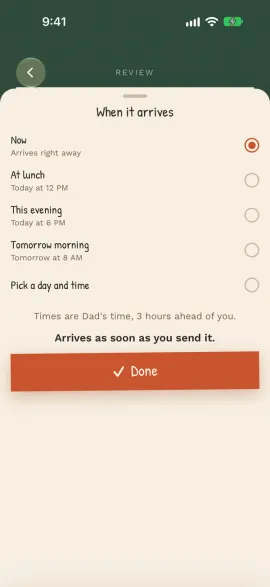
Write it at breakfast. It arrives at lunch.
Pick a time and the note shows up right then, on their clock, even when they’re three time zones away. Write tonight’s note this morning, and stop worrying about forgetting.
Answers
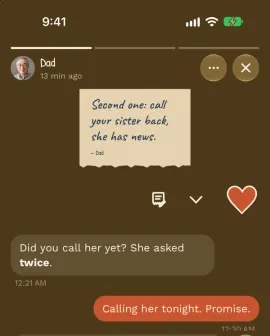
A heart is an answer, too.
They answer with a heart, a laugh or a hug, or a few words in a chat right under your note. Just the two of you, about the note you sent.
The memory box
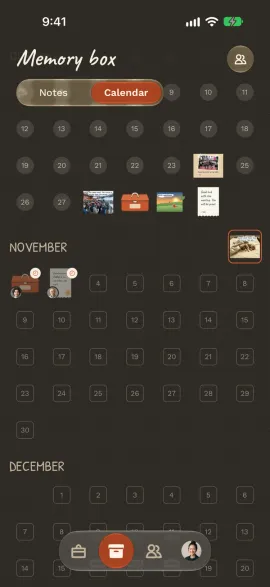
Every note, kept.
Every note you get goes into your memory box. Scroll back through the years, or tap a day on the calendar and see what was waiting for you.
Groups and kids
Room for the whole family.
Start a group and everyone leaves their note in the same lunchbox: Sunday dinner plans, birthday wishes, a photo from the road. Kids 13 and up get a lunchbox of their own, set up by you with a code. No email for them, and you choose who writes to them.
Who it’s for
For everyone you’d leave a note for.
Kids at school
A word of courage before the test, found at lunch.

Partners far apart
Good morning in their time zone, every day you’re apart.
Grandparents
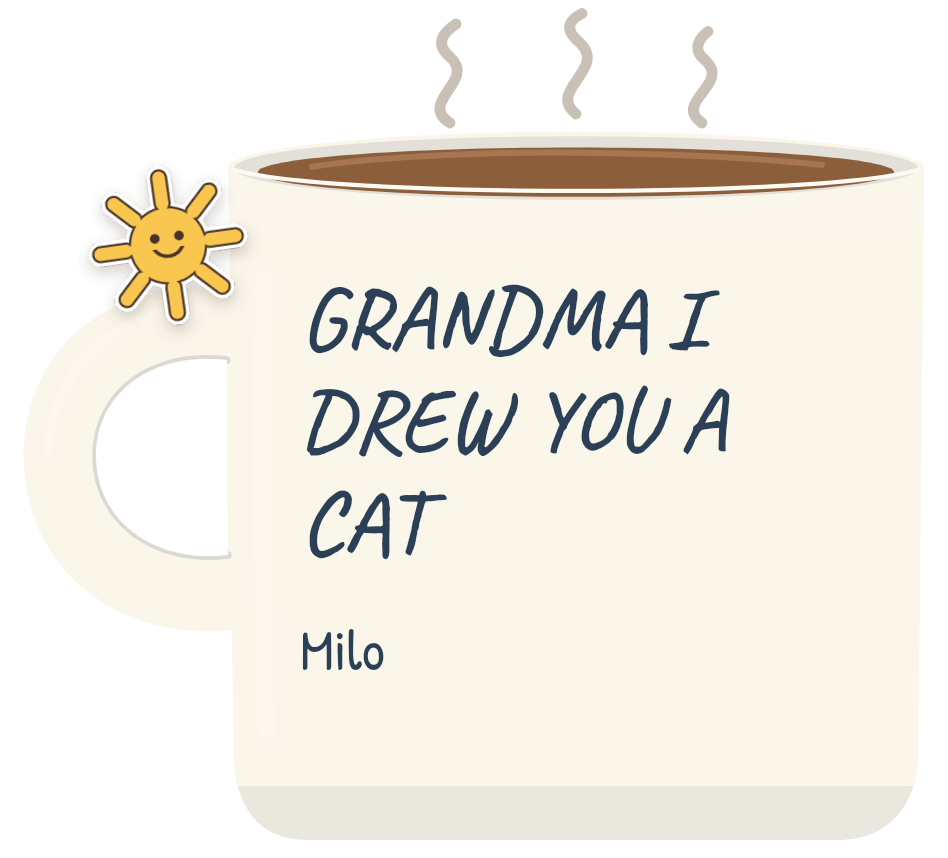
Drawings and photos from the grandkids, right on Grandma’s phone.
Friends
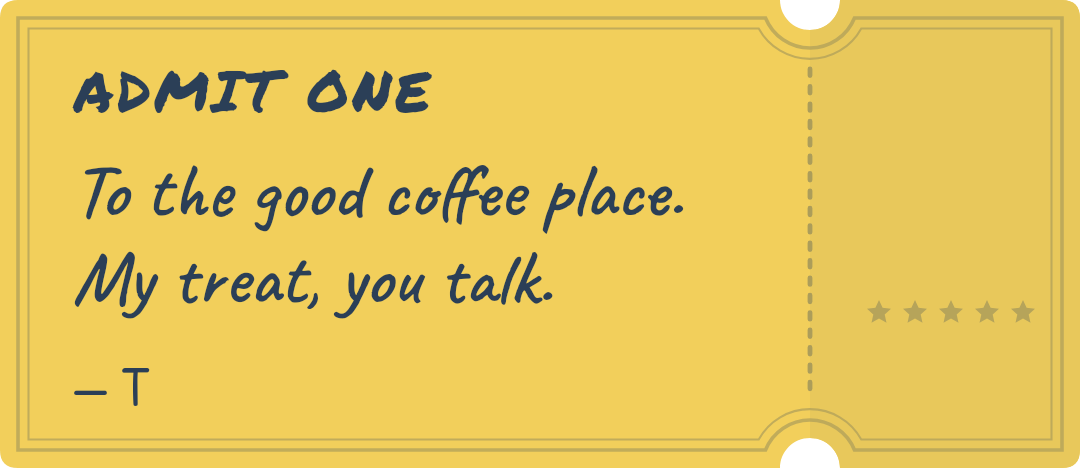
A coffee invite that’s more fun than a text.
Private by design
Only your closest people.
- No feed, no followers, no strangers. Nobody can search for you.
- You choose who’s in. Only people you connect with, by your code or in a group you join, can write to you.
- Kids are looked after. You approve who writes to them, and notes and chats with kids pass a word filter.
- Block or report anyone, from their profile, a note or a message.
Questions
How do I join the beta?
On an iPhone, tap “Get it on iPhone”: it opens TestFlight, Apple’s app for trying apps before they’re in the App Store. Install TestFlight, then Lunchbox Notes from it. On Android, tap “Get it on Android” and install it from Google Play.
Does the other person need the app?
To find your notes in their lunchbox and on their home screen, yes. But your first note can go ahead of them: write someone a note and you get a link to send them, which works whether or not they have the app.
Does my kid need an email address?
No. You set up your kid’s lunchbox and their phone joins with a code. Kids’ lunchboxes are for 13 and up. You choose who may write to them, and you see what they send.
Who can send me notes?
Only people you’ve connected with, by sharing your personal code, and the people in a group you join. There’s no search and no feed, and anyone can be blocked or reported.
What happens to old notes?
Every note you get is kept in your memory box. Scroll back through them, or find a day on the calendar.
Does it work on iPhone and Android?
Yes, both, with a home screen widget on each. And your notes can go to someone on the other kind of phone.
Write the first one tonight.
Join the beta and be among the first to send one.
Waiting for the App Store and Google Play instead?
Not sure yet? Read what a lunchbox note is, and why we made an app for it.